



Description
GrandPrix Race Manager Version 23.0 (2023)
GrandPrix Race Manager™ is an application that will help you manage your Pinewood Derby®, Awana® Grand Prix, Space Derby®, Raingutter Regatta, and other similar races by Royal Rangers, Royal Ambassadors, Lutheran Pioneers, YMCA Adventure Guides, Christian Service Brigade, CRC Cadets, Master Clubs, and other organizations. GrandPrix Race Manager handles registering racers to determining award winners, making your race more organized, shorter and enjoyable for all. GrandPrix Race Manager is highly customizable and easy to use.
*** Our competitors may claim that they provide the leading race management software, but we feel that the software should do the talking! Download our demo and theirs and see for yourself who provides the best software on the market. In addition, we provide quick and professional support for our software to help you have a smooth race. ***
Key Features:
- Flexible and Easy to Use
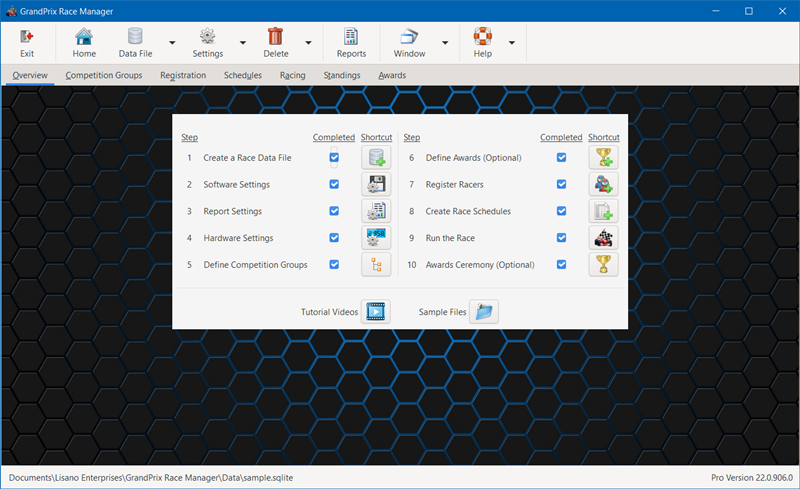
- Step By Step Use - The software indicates the steps to take to run your race. Check off each step as you complete it.
- Adapts to Different Types of Races - Customizable for racing cars, semi-trucks, Space Derby® rockets, Raingutter Regatta boats, and other race vehicles.
- Not Tied to One Specific Way - The software gives you the flexibility to run a race in many different ways. The software will not dictate how you should run your race.
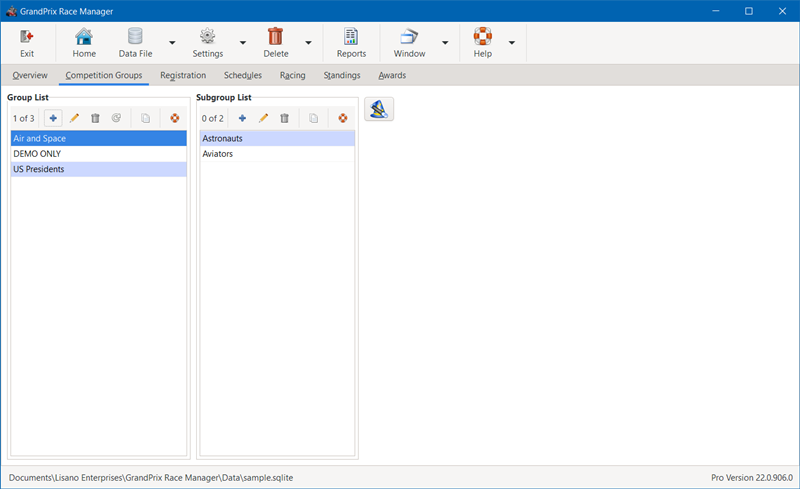
- Customize to Your Organization - You can define your race groups and subgroups to be whatever you want.
- Number of Lanes - Supports from 1 to 8 lane tracks.
- Large Font Screens - Roster, Racing, On Deck, Standings, and Awards screens have fonts large enough to display to an audience on a large TV or projection system.
- Highly Customizable - Many options are provided to allow you to customize the software to better suit your needs.
- Lite and Pro Versions - A Lite Version of the software is available for those users that need just the basics. A Pro Version is available for those needing more flexibility and features. Compare Lite and Pro Versions
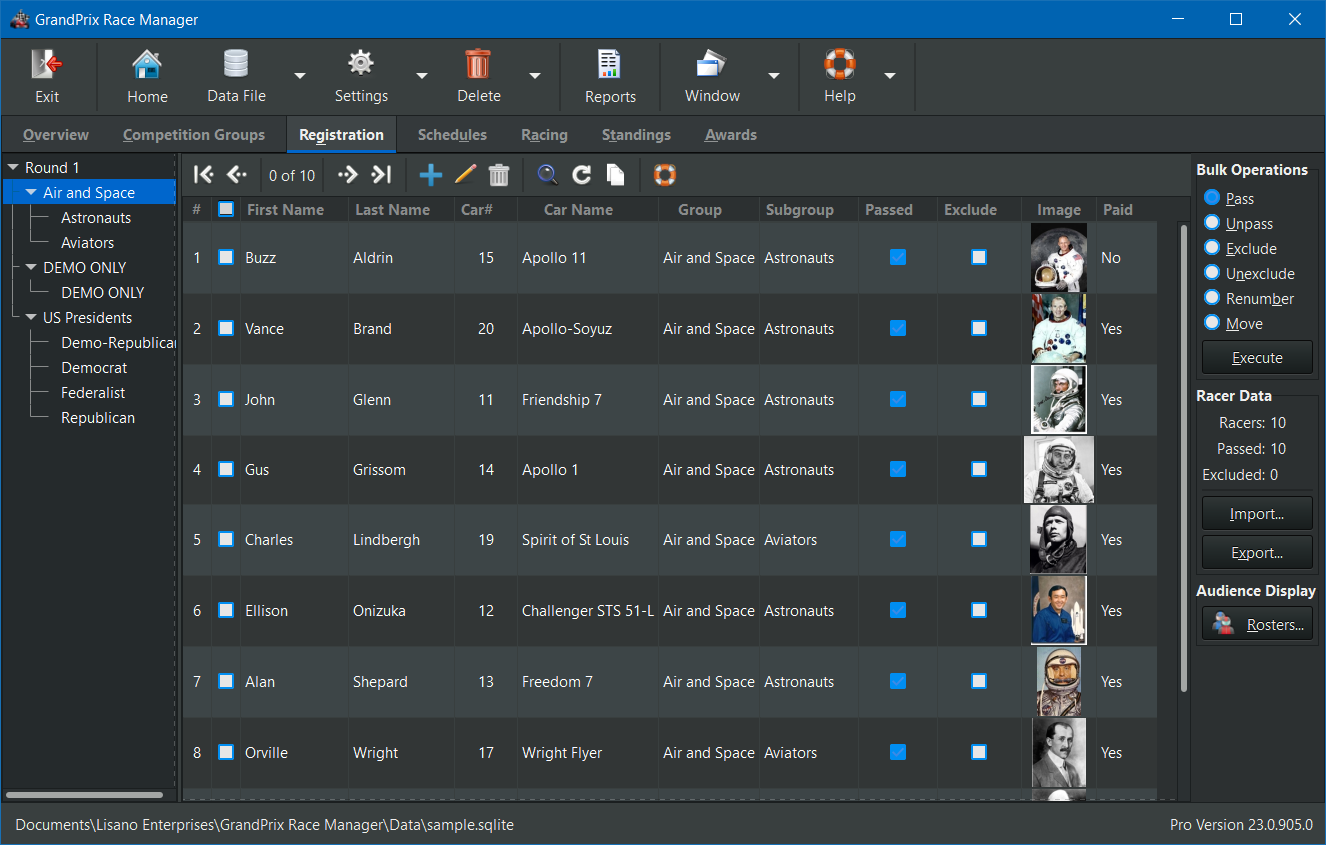
- Racer Registration
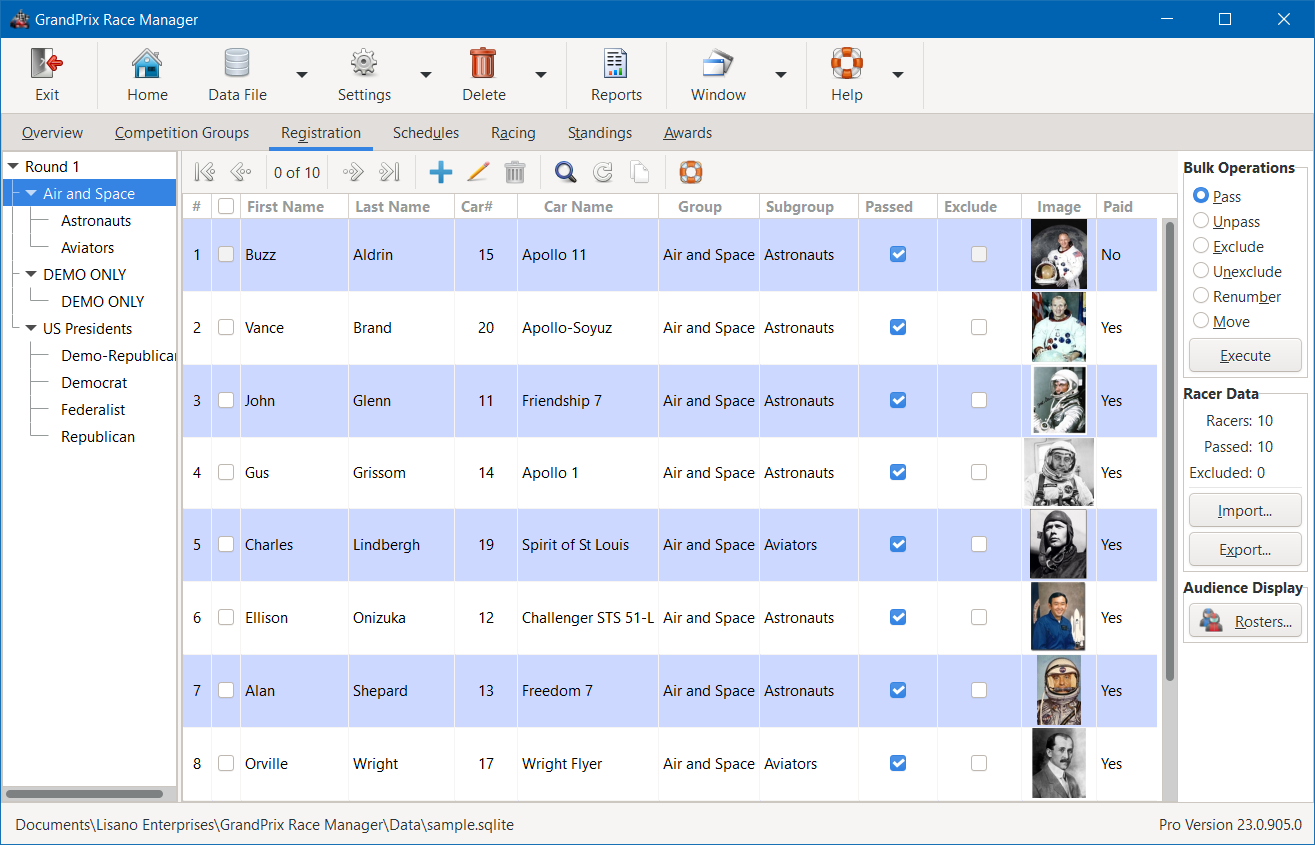
- Simple Racer Registration - Manually enter racers or import racer information from an existing spreadsheet or database. You can also import racer data from or export data to DerbyDMV.
- Vehicle Number Flexibility - Racers can choose their own vehicle numbers or they can be assigned by the race staff or by the software.
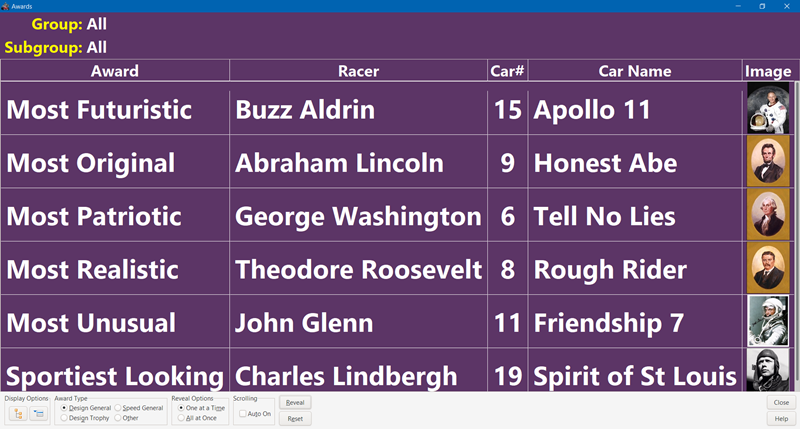
- Racer Photos (Pro Version) - If you wish, you can add photos of each racer or of their race vehicle. You can even capture the photos directly from a web cam or video camera.** These photos will be displayed on the Racing, Heat Winner, Track Record, and Awards/Standings screens.
- Race Scheduling
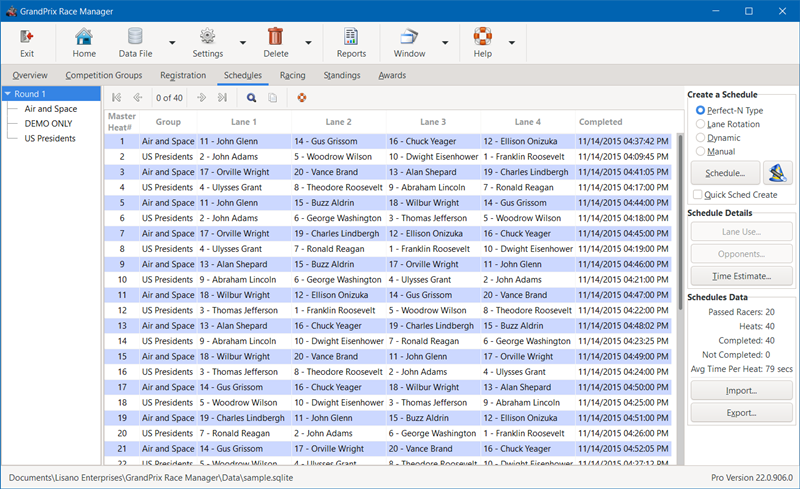
- Static Scheduling - The software has built-in generators for Perfect-N Type and Lane Rotation schedules.
- Dynamic Scheduling - Built-in Dynamic scheduler maximizes the number of racers to win at least one heat. Competition gets tighter for all racers as the race progresses, since racers are matched up based on performance.
- Other Scheduling Methods (Pro Version) - Compatible with other non-elimination scheduling methods such as Stearns, Round Robin, Chaotic Rotation, and others via import or manual entry.
- Master Scheduling (Pro Version) - Collate your group schedules for a round into a master schedule. Keeps racers more involved and not waiting for their group's turn to race.
Note: Master Scheduling does not work with Dynamic scheduling.
- Ad-Hoc Scheduling (Pro Version) - You can even race without first building a schedule, for ad-hoc racing.
- DOES NOT support Single, Double or Triple Elimination - Find out why
- Race Scoring - Score by points or by elapsed time.
- Times Scoring - Score by your choice of Cumulative, Average or Single Fastest elapsed time. You can even ignore each racer's worst time, so one bad run doesn't hurt them!
- Points Scoring - Points are awarded based on finish order.
- Auto or Manual Entry - Results can be entered automatically, via one of the supported timing systems, or manually.
- Running the Race
- Race Rounds - Run any number of rounds for each race group. You can also run a Grand Finals round of the top finishers from each race group. See our Suggested Race Format for one possible way to run a race with our software.
- Full Featured Racing Screen
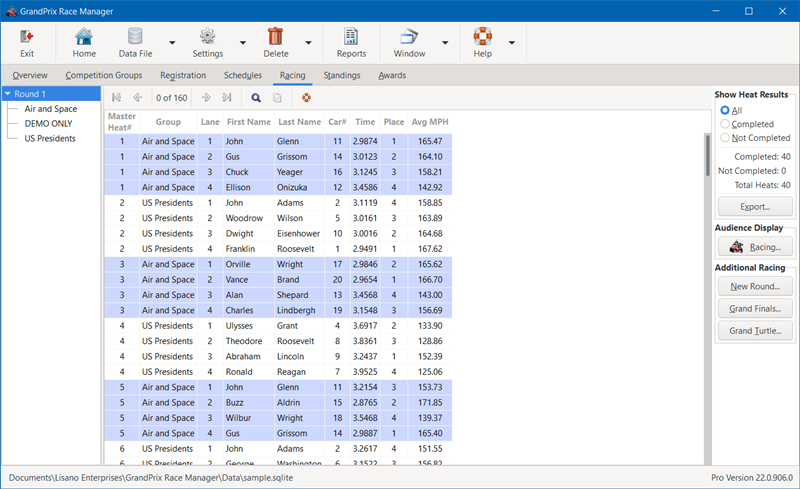
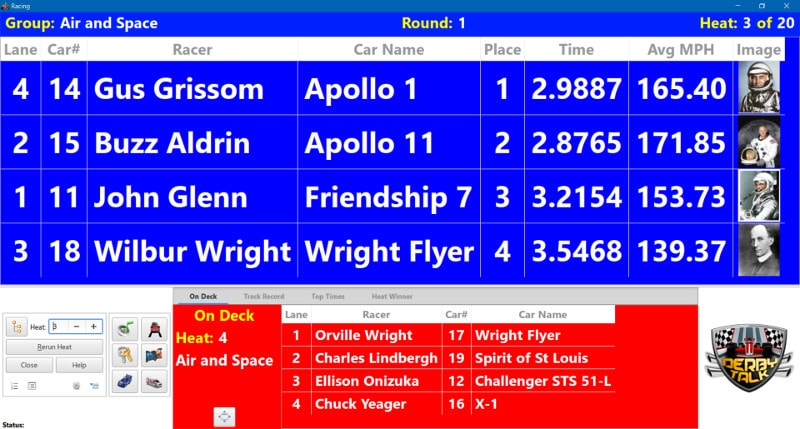
- Displays current heat's racers and their lane assignments. Also displays results for each racer once heat is completed.
- Displays "On Deck" racers.
- Displays the list of top times (Pro Version).
- Displays the track record time and record holder (Pro Version).
- Automatically receive input from a timing system, if one used.
- Run head-to-head tiebreaker heats, if needed.
- Play sound effects.
- Re-run a heat, if necessary.
- And more...
- Tiebreakers (Pro Version) - If you have a tie in the standings, you can apply a set of tiebreaker rules to break it without any further racing. You can also break the ties in head-to-head fashion.
- Hardware Interfaces
- Timing Systems - Supports several popular timers, including Fast Track, NewBold Timers, RaceMaster, SmartLine, The Champ, and The Judge. It can also be configured to work with many other serial timers, even many DIY timers (Pro Version).
Important Note: We make no guarantees on how well serial timers not specifically listed above will work with this software.
- Start Light "Christmas Tree" - Supports triggering a compatible drag racing style start light "Christmas Tree" via the serial port.
- Solenoid Start Gate - Supports triggering a compatible solenoid start gate via the serial port.
- Timing Systems - Supports several popular timers, including Fast Track, NewBold Timers, RaceMaster, SmartLine, The Champ, and The Judge. It can also be configured to work with many other serial timers, even many DIY timers (Pro Version).
- Awards and Standings
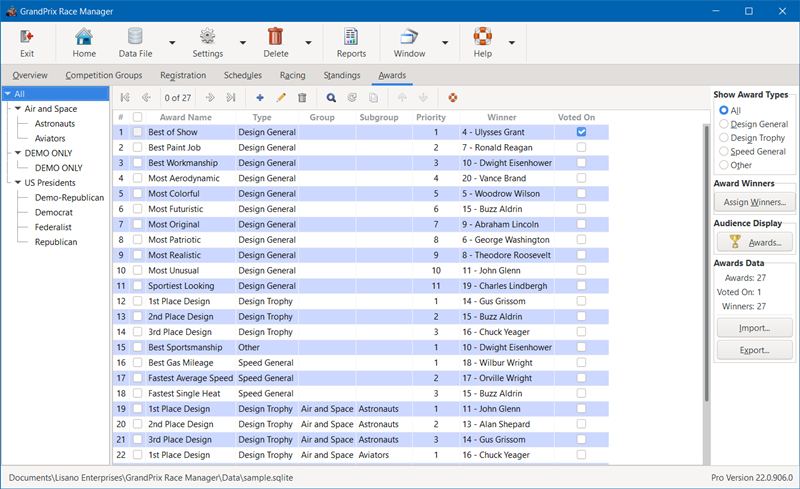
- Awards Management - Define an unlimited number of design, speed and other awards. Designate the winners of each, after they are determined.
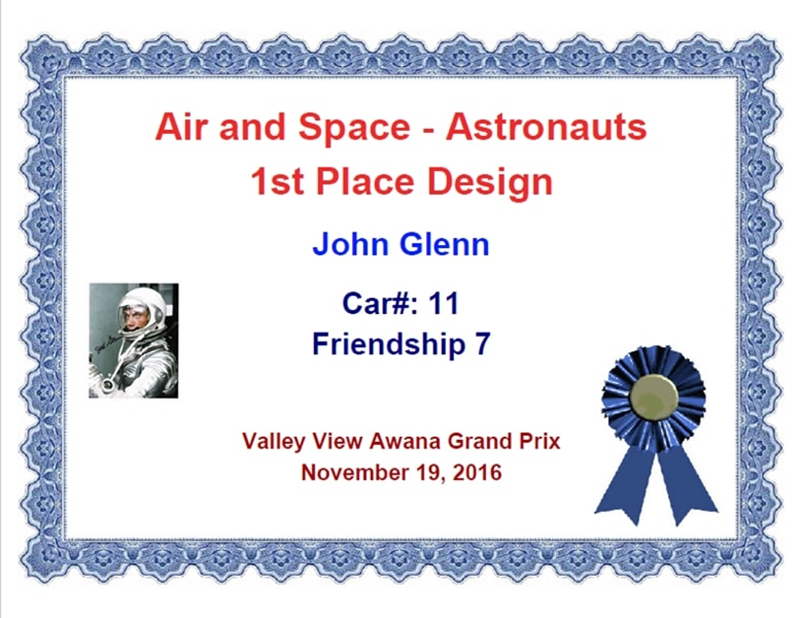
- Certificates - Print out awards and participation certificates.
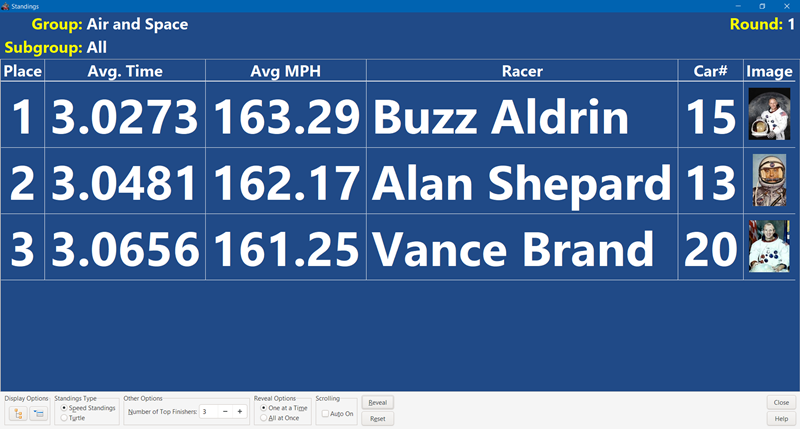
- Awards Ceremony - Display the awards and speed standings during your awards ceremony.
- Reports
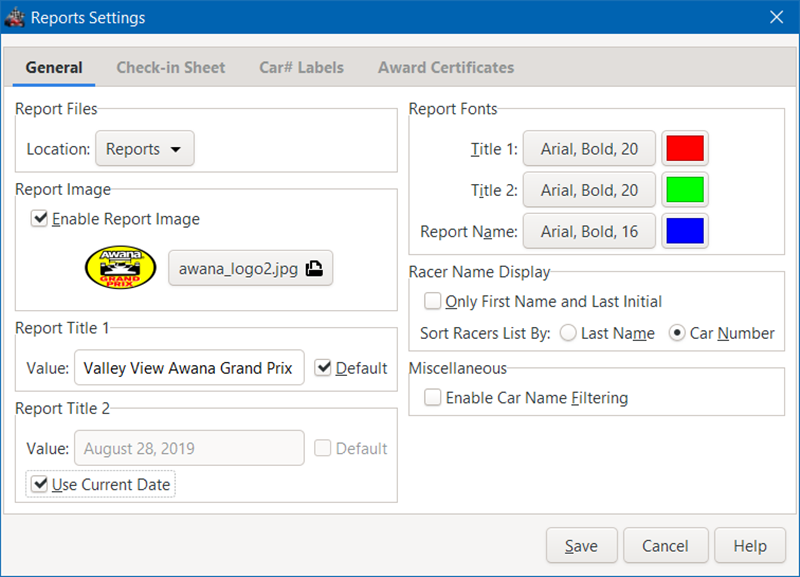
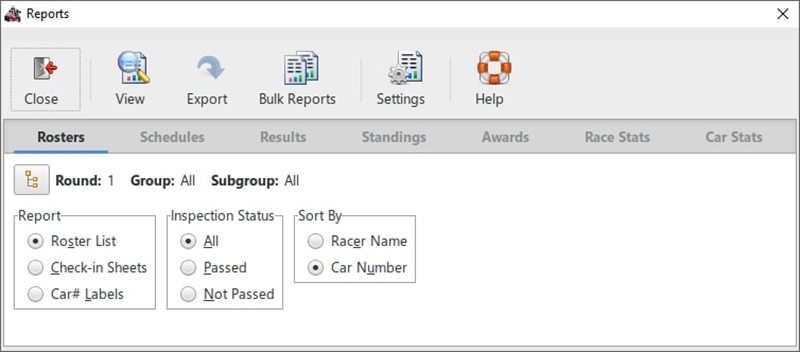
- Variety of Reports - Numerous reports are provided, from rosters to race statistics and everything in between. You can easily post these to your website.
- Export Reports - Reports can be exported in a CSV (Comma Separated Values) file format so you can create your own custom reports.
- Customizable - Several reports provide customization options.
- Other Features
- Search - Find data quickly using the integrated search feature.
- Race Statistics - Detailed statistics are provided for groups, racers, lane, and overall race performance measures.
- Supports Power Point Presentation Remotes - Your MC or race director can control the large-font screens using one of these types of remote control.
- Supports RaceFX Software (Pro Version) - If you have our RaceFX Version 7.0 or above installed, then GrandPrix Race Manager can automatically control the playing of sound effects during the race.
- Supports RaceReplay Software (Pro Version) - If you have our RaceReplay Version 5.0 or above installed, then GrandPrix Race Manager can automatically control the video recording and replay from the racing screen.
- Supports DerbyWeb Add-On (Pro Version) - DerbyWeb add-on interfaces with your GrandPrix Race Manager data file and allows your race crew and spectators to access specific race data via tablet computers or smart phones.
- And much more...
Notes:
** Snapshot feature requires a compatible video camera or webcam and a connection to your PC. See the Requirements tab for specific hardware needs.
Supported Timers:
 |
 |
 |
 |
 |
 |
| Fast Track | NewBold Timers | RaceMaster | SmartLine | The Champ | The Judge |
Note: The manufacturer for RaceMaster timers is no longer in business.
Timer Compatibility:
Refer to the Timer Compatibility Matrix on what GrandPrix Race Manager features each of the above timers support.
Note: GrandPrix Race Manager can also be configured to work with other commercial serial timers and even DIY systems. (Pro Version)
A portion of the profits from this software are donated to our local Awana missionaries. Awana® is an international organization which seeks to teach girls and boys about the Gospel of Christ and to train them to serve Him through bible verse memorization, bible teaching, games, and other activities.
GrandPrix Race Manager is a trademark of Lisano Enterprises, LLC.
Awana is a registered trademark of Awana Clubs International.
Pinewood Derby, Space Derby and Cub Scouts are registered trademarks of the Boy Scouts of America.
Windows is a registered trademark of Microsoft Corporation.
Mac and macOS are registered trademarks of Apple, Inc.
What's New
Upgrade Policy:
Upgrade Now
Registered users of Versions 18 and above of this software are eligible to purchase the upgrade.
Anyone purchasing an earlier version of this software within 90 days of the newest version being released can contact us for a free upgrade.
What's New with Version 23.0:
GrandPrix Race Manager™ was originally written for use in our Awana Grand Prix races at Gateway Church of El Cajon, CA. Then it was offered as shareware for a couple of years before being rewritten as a commercial grade application and launched as Version 2.0. Each year we continue to improve the software and have used it to run our own Awana and Cub Scout races each year. Countless race coordinators have given their feedback and suggestions over the years, which has helped make GrandPrix Race Manager into a quality race management software package and an outstanding value for the price.
Version 23.0 is part of the fourth generation of this software (V1 Shareware, V2-6, V7-15, V16-?). This generation is a major overhaul of the software to accomplish two main goals. The first is to make the software as user friendly and intuitive as possible. The second is to make the software compatible with both Windows and macOS. This was a major undertaking, as the software had to be written in a different programming language, but we are proud of the results and believe that you will find the software even more useful and easier to use.
- New or Improved Features for All Users
- MacOS Support
- Added support for macOS Sonoma (14.x).
- Main Screen
- Synchronized the selected race group across all tabs (registration, schedules, racing, and standings).
- When deleting a group's records, made sure that that particular group was displayed (rosters, schedules, and results).
- Software Settings
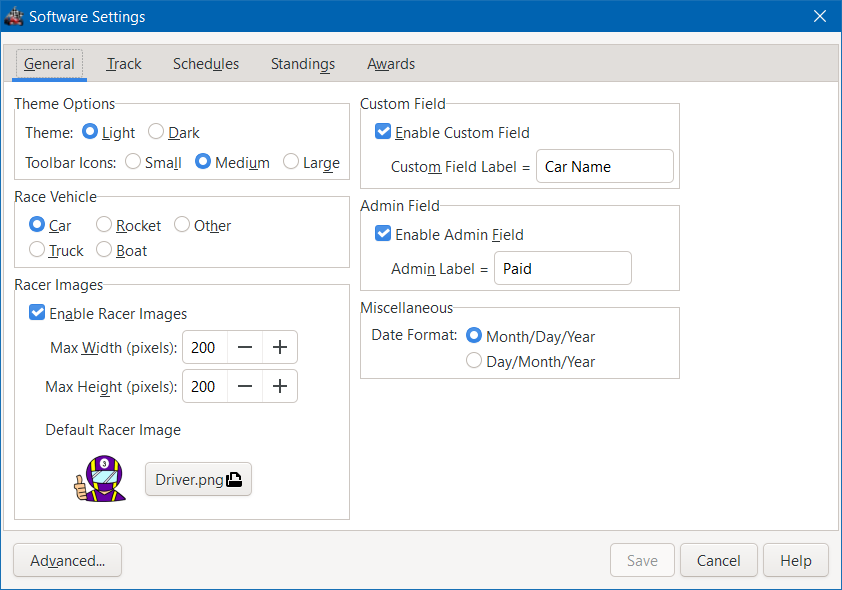
- Added the ability to set the size of the software's toolbar icons (small, medium or large) for better viewing.
- Schedules Tab
- Once a schedule is created, user has the option to automatically create schedules for all the other race groups using those same scheduling options. Makes scheduling faster and more convenient.
- Racing Tab
- Fixed completed heat count when selecting the round level (with master scheduling enabled).
- Added Heat# to the search form, to quickly jump to a specific heat.
- Once a heat is run, in the Racing screen, the Racing tab will display that heat automatically.
- Serial Timers
- Added support for Micro Wizard's new Q model Fast Track timer. Not limited to 9.9999 seconds that other Fast Track timers were, so can be used for races needing a longer time range.
- Awards Entry
- After selecting an award type in the entry screen, the focus will then be set to the Award Name box.
- The priority will be auto set to the next available priority number for the selected Group, Subgroup and Award Type.
- General
- Increased the size of some icons for better viewing.
- Fixed issue where some screens would sometimes hide behind other screens.
- Added a warning if trying to use a Dropbox, OneDrive, Google Drive, etc. folder for data files, images, and reports.
- Updated the software to run on a newer version of Python.
- Updated the software to use the latest version of the user interface framework.
- Several other less notable improvements and fixes were implemented.
- MacOS Support
- New or Improved Features for Pro Users
- Data Files
- Added a new screen when creating new data files. Report Titles 1 & 2 can be conveniently set. Also, Track Record and Top Times files can be changed or new ones created, if desired.
- Software Settings
- Fixed issue with changing the default racer image.
- Advanced Software Settings
- Improved settings import process to work with settings from an older version of the software or from an alternate settings file for that version. Also an easy way to synchronize two computers to use the same settings.
- Registration
- Added a new "Admin" field to the registration process and added to the Roster List report. This field can be used for any administrative purpose, such as tracking who has paid the entry fee. Field label can be customized. Any type of text can be entered (numbers, letters, Yes/No, etc.).
- Made sure that if a racer is excluded that they have also passed inspection.
- When moving racers in bulk, the new group/subgroup will be displayed after the move.
- Schedules
- Manual Schedules - When adding a new heat, automatically sets the focus to the first lane in use. Makes for faster lane assignment.
- Awards Tab
- "Voted On" total, in the Awards Data section, will be hidden if DerbyWeb interface is disabled.
- General
- Added Software Settings option for the size of tool bar icons. User can opt for Small, Medium or Large tool bar icons. Applies to any screen with a tool bar over a data table.
- Several other less notable improvements and fixes were implemented.
- Data Files
Screenshots
Screenshots:
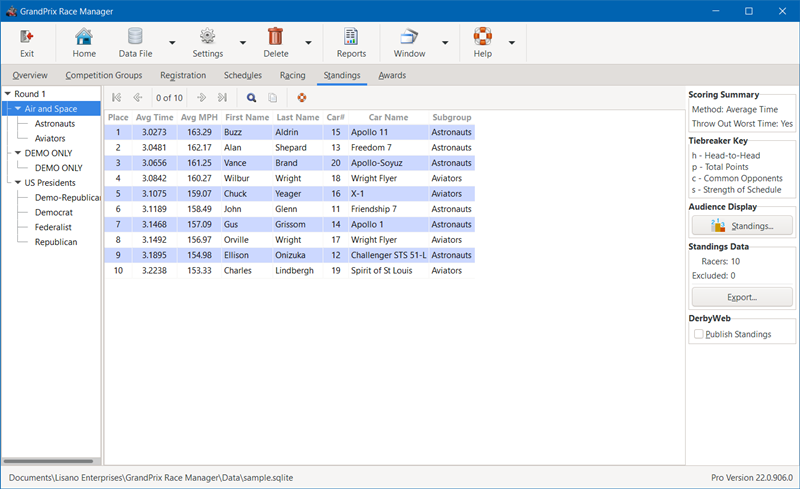
To view the GrandPrix Race Manager screen shots, click on the images below to enlarge.
 |
 |
 |
 |
| Overview | Competition Groups | Registration | Scheduling |
 |
 |
 |
 |
| Heat Results | Standings | Awards | Racing Screen (Audience) |
 |
 |
 |
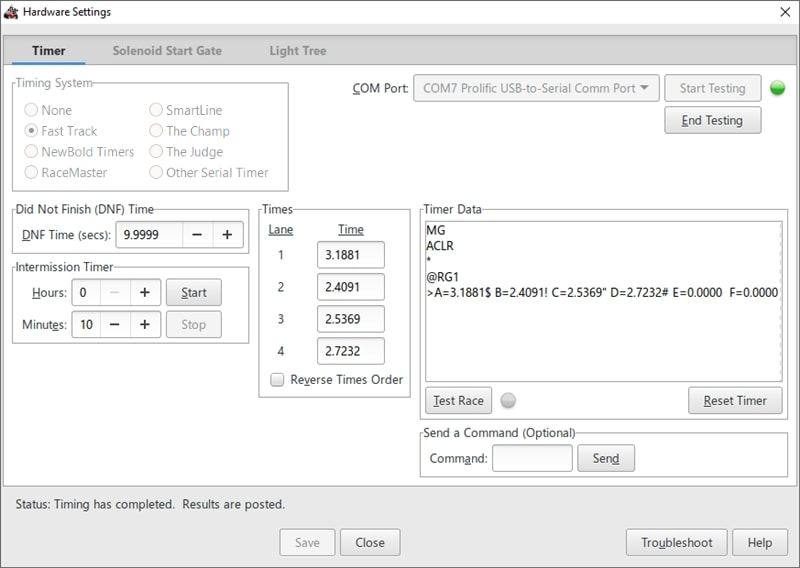 |
| Standings Screen (Audience) | Awards Screen (Audience) | Software Settings | Hardware Settings |
 |
 |
 |
 |
| Reports Settings | Reports Screen | Awards Certificates | Dark Mode |
Videos
GrandPrix Race Manager Instructional Videos:
Intro to GrandPrix Race Manager
Step 1 - Create a Race Data File
Step 2 - Software Settings
Step 3 - Report Settings
Step 4 - Hardware Settings - Timer, Solenoid and Light Tree setup and testing.
Step 4b - Hardware Settings (Custom Timer) - How to setup the software to interface with a non-supported commercial or DIY serial timer.
Step 5 - Define Competition Groups
Step 6 - Define Awards (optional)
Step 7 - Register Racers
Step 8 - Create Race Schedules (Built-in Schedulers)
Step 8b - Create Race Schedules (Custom Schedules)
Step 9 - Run the Race
Step 9b - Starting a New Round, Grand Finals Round and/or Grand Turtle Round (optional)
Step 10 - Awards Ceremony (optional)
Serial Port Communications Troubleshooting:
USB Drivers - Microsoft Windows - Make sure that you have the appropriate drivers installed.
USB Drivers - Mac - Make sure that you have the appropriate drivers installed.
Communications Tests - Some tests to verify that the port is working correctly.
Miscellaneous:
Reports - How to generate and export reports.
Partial Heat Rerun - How to rerun a heat without rerunning all of the racers in that heat.
No Timer Communications - How to deal with not being able to get the timer and the software communications to work.
Add Racer After Racing Started - How to add a racer(s) to your schedule after racing has already begun.
Exclude Racers - How to allow a racer to run but not show up in the standings.
Exclude Grand Finals Winners - How to keep the Grand Finals winners from showing up in the standings for their original race group.
Interfacing to Other Software:
Interface to RaceFX - How to interface GrandPrix Race Manager and RaceFX to automatically play sound effects during the race.
Interface to RaceReplay - How to interface GrandPrix Race Manager and RaceReplay to automatically record and do a video replay of each heat.
Interface to DerbyDMV - How GrandPrix Race Manager and DerbyDMV can use the same data file and images.
Requirements
Minimum Software Requirements:
- 64 bit Microsoft Windows (8/8.1, 10, or 11) or macOS Big Sur 11.x to Sonoma 14.x
- 2.0 GHz Dual Core or better CPU*
- 4 GB of RAM*
- 400 MB of hard drive space
- 1080x720 screen resolution
- Web Browser to view the Help files (Internet connection is not required)
* If running DerbyWeb or RaceReplay on the same computer as GrandPrix Race Manager, we recommend a 2.0 GHz Quad Core or better CPU with at least 8 GB RAM.
Hardware Requirements (Snapshot Capture Feature)
- A Webcam connected to the PC via a USB port.
- Or a Video Camera connected to the PC via a FireWire* cable
- Or a Video Camera connected to a compatible Video Capture Device.
* FireWire is also known as IEEE-1394 or i-Link®
Download
GrandPrix Race Manager Downloads:
The software can be downloaded from our Downloads page.